Spam texts seem to hit right when you least expect them, and they can be substantially annoying—especially when you’re waiting for an important update, like a message from a job recruiter or a reply from a client.

Photo: Lana Codes/Unsplash.com
Beyond being an utter nuisance, these unwanted messages put your personal information at risk for phishing scams and financial fraud. With rapid advances in technology and AI, scammers keep upping their game to trick unsuspecting victims.
Sadly, even with the implementation of the SIM Registration Act (RA 11934)—meant to curb spam messages—many Filipinos still receive unwanted texts from unknown numbers.
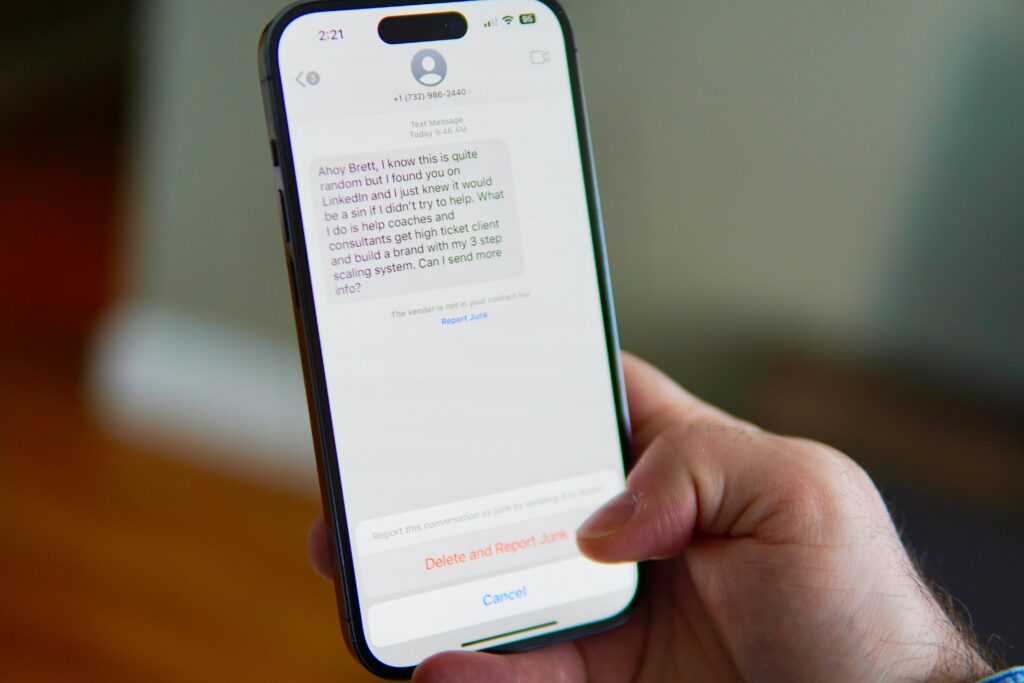
Photo: Brett Wharton/Unsplash.com
Luckily, you don’t have to wait for external fixes to protect your inbox. Modern smartphones and messaging apps feature built-in protection tools that take less than two minutes to set up. Here is a quick step-by-step guide to activating spam filters across your daily communication channels.
Filtering messages on iPhone (iOS)
Photo: Brett Jordan/Unsplash.com
Apple makes it simple to isolate legitimate conversations from unknown senders:
- Option A (Via App): Open the Messages app, tap Filters (or the back arrow) in the top-left corner, and ensure Filter Unknown Senders is enabled.
- Option B (Via Settings): Go to Settings > Messages, scroll down to Message Filtering, and toggle on Filter Unknown Senders.
- To view filtered texts, return to the main Messages screen, tap Filters, and select the Unknown Senders folder.
Enabling spam protection on Android
If you use Android, native messaging features offer reliable built-in spam detection:
- Open your default Messages app.
- Tap your profile picture or the three-dot menu icon in the top-right corner.
- Select Message settings.
- Tap Protection & safety (or Spam protection, depending on your device).
- Switch Enable spam protection to the On position.
Once active, the app automatically moves unverified messages into your Spam & blocked folder without cluttering your main inbox.
Activating auto spam check on Viber
Spam isn’t limited to standard SMS; third-party messaging platforms like Viber and Telegram also receive unwanted traffic. Since many people rely on Viber for daily communications, family group chats, and work, securing it is essential:
- Open the Viber app.
- Tap More (the three-dot icon in the bottom-right corner).
- Go to Settings > Privacy.
- Toggle on Auto spam check.
Once enabled, Viber automatically scans incoming messages and links sent by non-contacts to block threats before you open them.
Blocking and reporting a spammer on Viber
If a spam message manages to slip through:
- Open the active chat containing the unwanted message.
- Tap the contact’s name or profile picture at the top of the screen to open the Chat Info page.
- Scroll down and tap Report this contact or Block this contact.
- Choose Report and Block to submit the account to Viber’s security team while permanently blocking future calls and messages.
How to block spam on Telegram
Telegram spammers often target users by adding them to mass public channels or sending unsolicited messages:
- Restrict Group Additions: Open Telegram > Settings > Privacy and Security > Groups & Channels. Change Who Can Add Me to My Contacts.
- Hide Your Phone Number: Go to Settings > Privacy and Security > Phone Number. Set Who Can See My Phone Number to Nobody or My Contacts.
- Archive Unknown Chats (Telegram Premium): Go to Settings > Privacy and Security > New Chats from Unknown Users, then toggle on Archive and Mute. All new chats from non-contacts will automatically be muted and sent directly to your archive folder.
Taking a quick moment to update these security settings keeps your inbox clutter-free and protects your personal data against evolving digital scams.
ALSO READ: Alden Richards Lauds Honest Driver Who Returns Lost Cellphone of His Cousin
Do you have a story for the WhenInManila.com Team? Email us at wheninmanila@gmail.com or send us a direct message at WhenInManila.com’s Facebook Page. Interact with the team and join the WhenInManila.com community at WIM Squad, and join our Viber group to stay updated with the latest around the Philippines and beyond!