As someone who is constantly juggling tight deadlines, writing on the go, and keeping dozens of memory-heavy browser tabs open at once, finding a device that keeps up with my daily grind without weighing down my bag is a total game-changer.
HUAWEI has long been leading the tablet market in the Philippine, but after spending real hands-on time testing out the new HUAWEI MatePad Air (the very first time HUAWEI is launching the Air variant here in the Philippines, by the way!), it is clear they are doubling down on what matters most to power users: cutting-edge AI integration and superiority in value.
With global AI data center demands triggering industry-wide RAM shortages and higher component costs, finding a high-capacity tablet that won’t break the bank is tougher than ever. The HUAWEI MatePad Air offers a generous, lag-free RAM setup and smart productivity features that deliver unmatched consumer value, seamlessly bridging the gap between an ultra-portable design, a flagship performance, and even screen innovation. It is one of the smartest, most efficient mobile workstations I’ve ever used.

Photo by Gerry Robinson
Intelligent Efficiency: AI-Powered Software Suite
In today’s fast-paced workplace, artificial intelligence is no longer just a futuristic gimmick or a novelty to play with. It has evolved into an essential, practical tool for modern professionals. Whether you are managing complex projects, drafting content under tight deadlines, or digesting mountains of research, the right AI tools streamline your workflow, eliminate repetitive manual tasks, and help turn raw ideas into actionable, polished output faster than ever before.
What makes HUAWEI’s approach so refreshing is how naturally these capabilities are woven into everyday tools you actually use, turning the MatePad Air into a proactive partner in your daily grind.
Bringing this level of built-in intelligence to a consumer tablet is no small feat, especially given the current global tech landscape. Right now, the astronomical surge in demand for AI infrastructure has forced major tech companies to hoard massive supplies of high-performance memory like High Bandwidth Memory (HBM) and DDR5. This unprecedented strain on global supply chains has triggered the worst memory component shortage in 15 years, causing DRAM contract prices to nearly double and putting immense upward pressure on device costs across the entire consumer electronics industry.
Despite these severe market pressures though, HUAWEI has placed itself firmly at the forefront of AI innovation by outfitting the MatePad Air with a comprehensive, professional-grade AI software engine right out of the box, and without passing astronomical costs onto the user.
In real-world daily use, these integrated software features don’t just look good on a spec sheet. They make an immediate, noticeable difference in how efficiently you navigate your workday.
The PC-Level WPS Office with WPS AI has completely transformed how quickly I can move from a blank page to a finished project. For instance, when writer’s block strikes, AI Docs steps in as a smart creation and editing partner, helping me instantly draft campaign proposals, brainstorm content outlines, or refine text tone, length, and style with a single click.
When diving into heavy research or reading long briefs, on the other hand, the AI PDF Summarizer acts like an instant research assistant, condensing dense 50-page academic papers, technical briefs, and industry reports into clear, digestible executive summaries in mere seconds.

Screenshot from Angeline Rodriguez
For spreadsheet management and data analysis, you no longer need to memorize complex formulas or waste time manually building charts. With the AI Sheet Assistant, project managers can simply type plain, conversational prompts to automatically structure raw data and generate visual insights on the fly. Then, when it’s time to pitch your findings, AI Generate Slides takes your rough notes and outlines and transforms them into a full-fledged, professionally formatted slide deck complete with clean layouts, typography, and graphics.
Beyond the office suite, the built-in AI HUAWEI Notes app proves to be an absolute lifesaver during live meetings and lectures. Its advanced Speech-to-Text engine features multi-speaker recognition, accurately transcribing audio while differentiating between individual voices so you always know who said what.
If you prefer writing by hand with a stylus, the app’s AI Handwriting Enhancement automatically neatens up your quick, jagged scribbles into clean, legible text. For students and researchers, the integrated AI Tutor also provides step-by-step guidance, breaking down complex mathematical formulas or dense concepts into easy-to-understand explanations.
When it’s time to step up to the podium, the tablet seamlessly transitions into a powerful presentation hub. The NearLink M-Pencil Pro features an ingenious Air Mouse mode, allowing the stylus to double as a wireless laser pointer and remote control so you can navigate slides up and down from across the room. In live pitch settings, you can also wirelessly mirror the MatePad Air to a larger display or projector. Instead of standing behind a traditional mouse and keyboard, you can walk around holding the tablet and use the M-Pencil to fluidly circle data points, highlight key metrics, and draw freehand callouts directly onto the screen in real time.
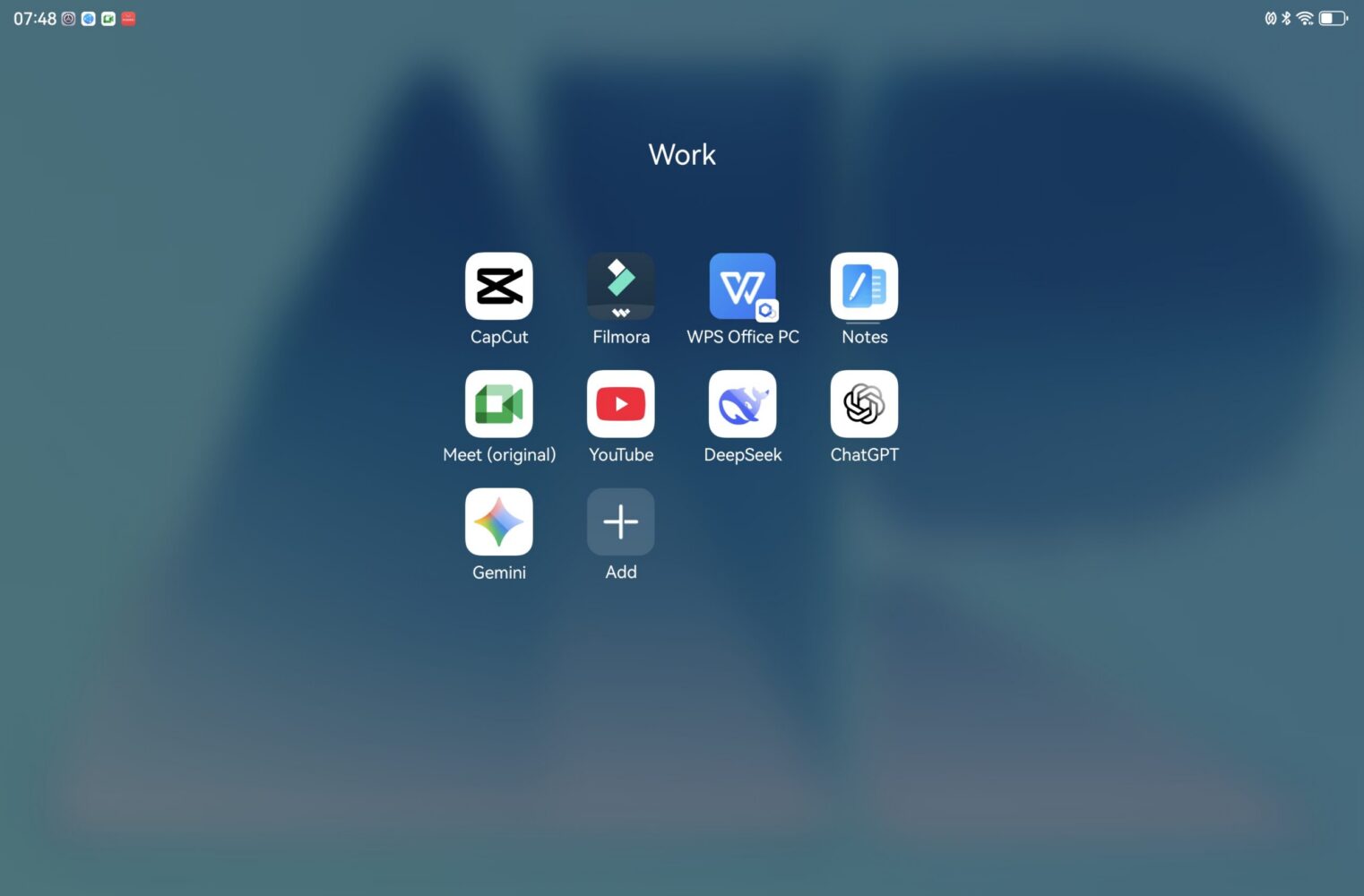
What makes the MatePad Air’s software ecosystem truly complete is its open versatility. Beyond its native feature set, the tablet effortlessly supports industry-leading third-party AI assistants and creative platforms via the HUAWEI AppGallery and GBox, including ChatGPT, Google Gemini, DeepSeek, as well as AI-enhanced video editing suites like CapCut and Filmora. To top it all off, every purchase of the HUAWEI MatePad Air includes 1 year of free AI benefits, giving you complete, unrestricted access to the AI PDF Summarizer, AI Docs, AI Sheet Assistant, and AI Generate Slides right out of the box.
Unbeatable Value: Flagship Performance Without the Premium Price Tag
Globally, memory-driven price hikes have hit the tech sector hard, and we have felt that financial squeeze directly here in the Philippine market. Major global competitors have pushed the cost of their mid-to-flagship tablet lines significantly higher. Equivalent setups from brands like Apple and Samsung have seen price jumps of up to 32% and 33%, respectively.
With an extended memory upcycle ahead, component prices are expected to keep climbing through at least 2027 with no clear reversal signal in sight. This global memory chip price surge inevitably drives up Philippine import costs, causing end-user retail prices to soar. Without domestic chip production, the Philippines fully absorbs these global price hikes, while local peso volatility further amplifies consumer costs.
When you factor in essential productivity add-ons, like buying a detachable keyboard or stylus separately, the total investment balloons even further. Even when opting for monthly installment plans, those inflated price tags add up to a heavy long-term commitment for students, freelancers, and working professionals alike.
In contrast, HUAWEI maintains remarkable value superiority by refusing to compromise on hardware or hide essential productivity tools behind paywalls. Despite minor market adjustments across the industry, HUAWEI delivers unmatched bang for your buck by offering a complete, out-of-the-box productivity bundle.
Instead of making you hunt down expensive accessories after unboxing, the MatePad Air arrives ready for serious work, bundling the tablet alongside a high-capacity power adapter, charging cable, and a full suite of companion accessories without forcing you into separate, wallet-draining purchases.

Photo by Gerry Robinson
Under the hood, this incredible value translates directly into stellar, real-world performance – tried, tested, and thoroughly stress-tested during my time with the device! Handling heavy workloads and multi-app pressure is an absolute breeze.
You can actually run an intensive 50-page document through the WPS AI PDF summarizer while simultaneously rendering a 4K video clip in the background, streaming music, and keeping over a dozen heavy browser tabs open for live research. This tablet doesn’t miss a beat.
What truly keeps the MatePad Air running smoothly under intense pressure is its advanced memory architecture. HUAWEI packed this tablet with a generous 12GB of physical RAM supplemented by an additional 8GB of virtual memory expansion. That gives you a massive 20GB of total memory headroom that makes an obvious difference in your daily workflow, especially when uncompromised, lag-free multitasking is needed.
The dedicated 12GB of high-speed physical RAM handles resource-heavy applications, like rendering high-resolution videos, editing multi-layer graphics, or processing complex documents with instant responsiveness.
Meanwhile, the 8GB virtual memory expansion ensures you can seamlessly hold background tasks, messaging apps, and dozens of browser tabs in a hot state. This dual approach means you can jump back and forth between heavy creative software, video calls, and research apps without the tablet force-closing your work in the background or suffering from annoying redraw lag. This device can truly keep up with anyone’s pace, no matter how many apps you like or need to keep open at once.
Because the operating system doesn’t need to constantly flush and reload apps to free up memory, your workflow remains completely uninterrupted from start to finish. Paired with the capable Kirin T93C processor and 256GB of onboard storage, the MatePad Air delivers desktop-level stability under heavy multi-tasking demands.
Anchored by a massive 10,100mAh battery and fast 66W SuperCharge technology, it powers through demanding, full-day work sessions effortlessly, proving once and for all that you don’t need to break the bank to own an elite, high-performance workstation.
An Eye-Soothing Visual Experience: Ultra-Clear OLED PaperMatte Display
The very first thing that caught my attention was the 12-inch 2.8K OLED PaperMatte Display. With its buttery-smooth 144Hz refresh rate and bright 1,200 nits peak brightness, everything looks ultra-crisp.
The real magic though, lies in HUAWEI’s anti-glare nano-etching technology. I did a macro close-up test under harsh overhead fluorescent lights and direct sunlight, and the screen eliminated nearly 99% of ambient reflections with zero mirror glare. Binge-watching KDramas, reading webtoons, watching movies, and sketching feel like working on natural paper.
Plus, thanks to TÜV Rheinland and SGS eye-care certifications, my eyes didn’t feel fatigued even after hours of continuous use.

Photo by Gerry Robinson
True PC-Like Productivity Setup
What completes the experience is how seamlessly it transforms across four key lifestyle scenarios: Work, Study, Create, and Entertainment. Operating as an exceptional 4-in-1 productivity setup, it delivers immense value without forcing you to pay extra for separate accessories.
With the Smart Magnetic Keyboard, you can easily turn the ultra-thin, highly portable tablet body into a laptop workspace. You can also sketch or annotate with precision with the NearLink M-Pencil Pro, and navigate smoothly with the HUAWEI Bluetooth Mouse.
Whether you’re slipping it into a lightweight bag for a commute or shifting gears from a mobile desk setup to a handheld media viewer, it offers maximum versatility and heavy-duty productivity anywhere you go.
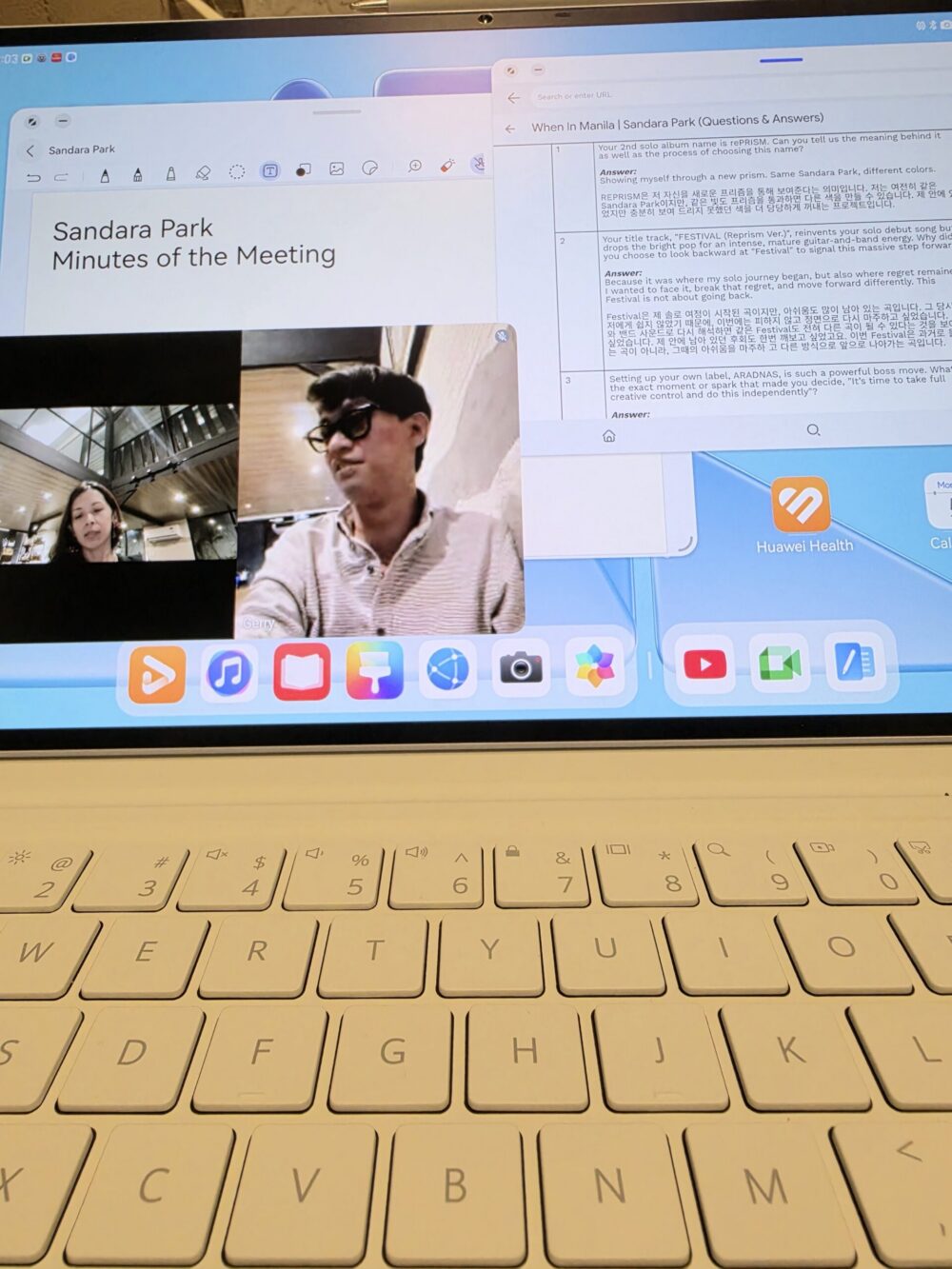
Photo by Angeline Rodriguez
A Rich Creative and Entertainment Ecosystem
Using the Multi-Window feature, I was able to take meeting notes with the stylus while simultaneously running background AI tools and referencing research videos on a split screen. Creative apps like GoPaint, HUAWEI’s pre-installed digital painting app with realistic textures, and Canva run flawlessly, alongside all major streaming platforms on the AppGallery, including but not limited to:
- Creative Apps: Canva, Capcut, Filmora, Adobe Photoshop and other Adobe Suite programs
- AI Apps: ChatGPT, Google Gemini, DeepSeek, WPS AI, and HUAWEI Notes
- Productivity Apps: Microsoft and Google Suite Apps
Screenshot from Angeline Rodriguez
When I choose a tablet, I choose HUAWEI because of its PaperMatte Display. It delivers the #1 tablet experience in the Philippines at half the cost of the competition. HUAWEI breaks the mold by offering unmatched value even while major competitors have significantly raised their prices on equivalent tablet lines.
Beyond its top-tier specs, massive memory headroom, and native AI software engine; the HUAWEI MatePad Air delivers an unbeatable, cost-effective edge with its complete 4-in-1 accessory setup, bundling essentials like the Smart Magnetic Keyboard and the M-Pencil stylus alongside high-value extras like a one-year WPS AI membership with zero hidden subscription paywalls
Combining elite hardware performance, advanced AI capabilities, and comprehensive freebies that save you from costly separate purchases, the HUAWEI MatePad Air is an exceptional, future-proof investment for anyone looking to work smarter without breaking the bank.

Buy the HUAWEI MatePad Air here:
HUAWEI Online Store: https://tinyurl.com/bdepcxf8
Shopee: https://tinyurl.com/yfhejhpz
Lazada: https://tinyurl.com/ymj4mhdc